My first smart device was a cheap plug I bought on a whim. It cost about twelve dollars, and all it did was switch a lamp on and off from my phone. I remember sitting on the couch, tapping a button, and watching the lamp obey. It felt like a small magic trick. That little plug is a perfect first example of the internet of things for beginners, because it shows the whole idea in one tiny box: an ordinary object, a sensor or switch inside it, and an internet connection that lets it talk to me.
Most of us already live with the internet of things for beginners without noticing it. Your fitness band counts your steps while you sleep. Your car tells you the tyre pressure is low before you even start the engine. The doorbell camera sends a clip to your phone when someone rings it. None of these gadgets needs a computer science degree. They just need a connection, and they quietly make ordinary days a little easier.
In this guide I will explain the internet of things for beginners in plain language. No jargon walls, no engineering degree needed. You will learn what it is, how it works, where you already use it, what can go wrong, and how to start with one small device of your own.
Table of Contents
What Is the Internet of Things for Beginners?
The internet of things for beginners starts with a simple definition. The Internet of Things, usually shortened to IoT, is a network of physical objects that connect to the internet and share data with each other. A “thing” can be almost anything: a thermostat, a fridge, a watch, a tractor, a streetlight, even a heart monitor. Each one has a sensor, a little bit of computing power, and a way to send and receive information.
The term itself was coined back in 1999 by a computer scientist named Kevin Ashton. He was working on supply chains and realised that computers knew almost nothing about the physical world unless a human typed it in. His idea was simple: give objects the ability to report on themselves. The very first connected device, long before the name existed, was a Coca-Cola machine at Carnegie Mellon University in the early 1980s. Students wired it up so they could check from their desks whether the machine was stocked and the drinks were cold. That is the whole spirit of the internet of things for beginners in one story — a machine answering a question before you walk over to ask it.
Today the scale is hard to picture. According to IoT Analytics, there were about 21.1 billion connected IoT devices at the end of 2025, and that figure does not even count phones, laptops and tablets. Your home alone may hold ten or twenty of them. The internet of things for beginners is not a future technology. It is already sitting on your wrist, in your kitchen and on your street.
How Does the Internet of Things for Beginners Work?
Every IoT system, from a ten-dollar plug to a factory full of robots, follows the same four-step loop. Once you see the loop, the internet of things for beginners stops looking mysterious.
1. Sense
A sensor measures something in the real world. A thermostat senses temperature. A motion sensor notices movement in a hallway. A soil sensor checks how dry a field is. A heart-rate sensor on your watch counts your pulse. Sensors are the eyes and ears of the system.
2. Connect
The device sends what it measured over a network. At home that is usually Wi-Fi or Bluetooth. A smartwatch talks to your phone over Bluetooth, and the phone passes the data on over Wi-Fi or mobile data. Out in a field or on a road, devices may use cellular networks, or low-power options such as Zigbee, Z-Wave or LoRaWAN, which are built for small amounts of data over long distances.
3. Process
The data goes somewhere to be understood. Sometimes the device itself does the thinking, which engineers call edge computing. More often the data travels to the cloud, where software looks for patterns. This is where cloud computing meets IoT: the cloud stores the readings, compares them with past data, and decides what should happen next. A fitness app, for example, turns raw step counts into a weekly chart and a gentle nudge to move more.
4. Act
Finally, something happens. The thermostat turns the heating down. The irrigation system waters only the dry patch of field. The app sends you an alert that your front door is still unlocked. Sometimes the action is automatic, and sometimes it is a message asking you to decide. Either way, the loop is complete — sense, connect, process, act — and then it starts again.
Where You Already Meet the Internet of Things for Beginners
You do not need to buy anything new to meet the internet of things for beginners. You are probably already using it every day. Here are the places it shows up most.
Smart homes
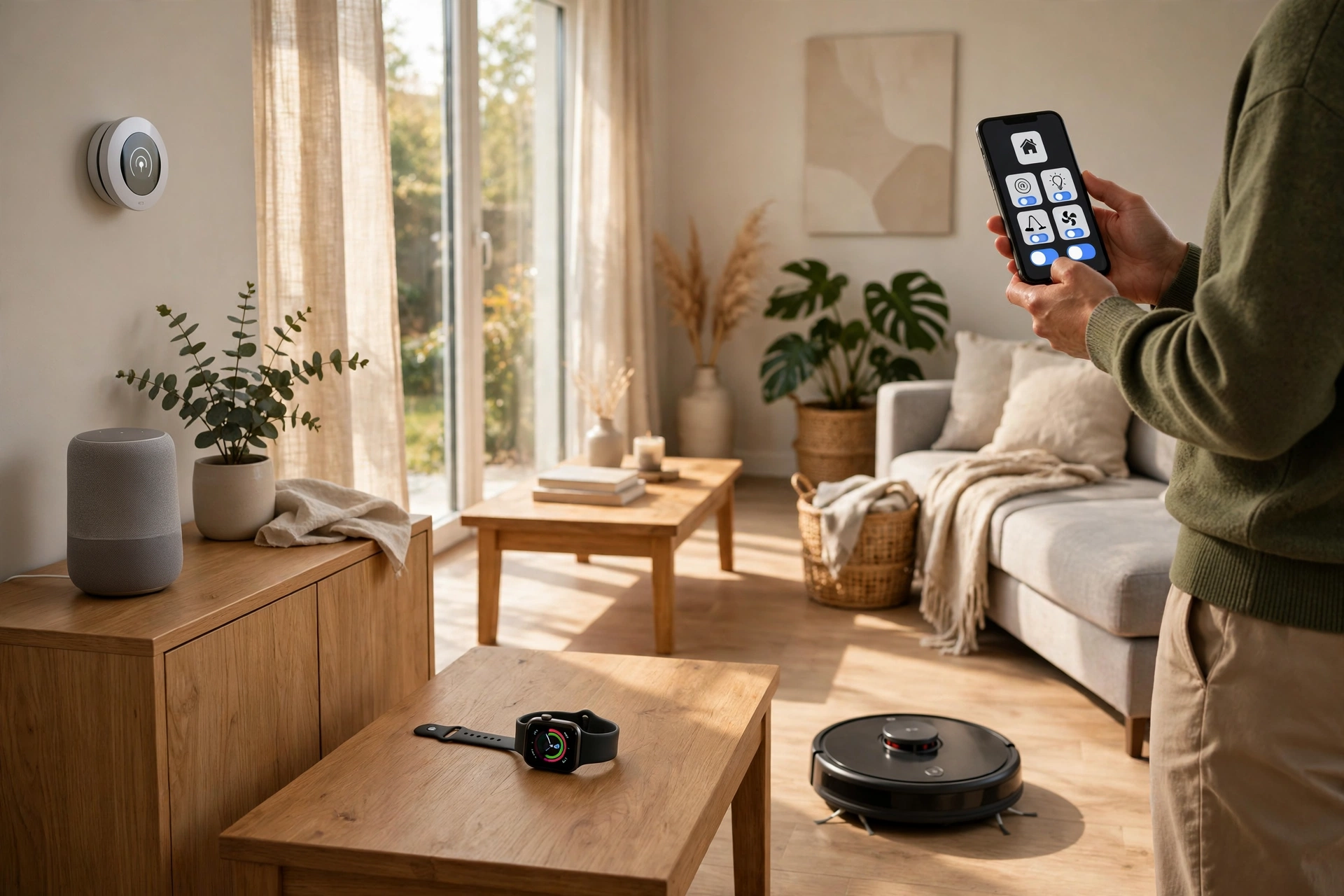
This is the friendliest starting point. Smart speakers answer questions and play music. Smart bulbs dim on a schedule. Video doorbells show you who is at the door from anywhere in the world. Robot vacuums map your rooms and clean while you are out. In my own home, the smart thermostat paid for itself in one winter by turning the heating down when nobody was home.
Wearables and health
Fitness bands and smartwatches are the most personal IoT devices most people own. They count steps, track sleep, measure heart rate, and some can even warn about an irregular heartbeat. Hospitals use the same idea at a bigger scale: connected monitors watch patients around the clock, and a pacemaker can send data to a doctor without the patient visiting a clinic.
Connected cars
Modern cars are rolling IoT systems. They report tyre pressure, fuel level and engine health, and many can call for help automatically after a crash. Some cars update their own software overnight, the same way your phone does. Self-driving features, from lane assist to parking help, all depend on sensors talking to each other in real time.
Farms and factories
Farmers use soil sensors and weather stations to water only when crops actually need it, which can save thousands of litres of water in a season. In factories, machines report vibration and temperature, so engineers can fix a motor before it breaks instead of after. This industrial side is sometimes called the Industrial Internet of Things, and it is where the biggest money is saved.
Smart cities
Streetlights that brighten when someone walks past. Bins that tell the council when they are full. Traffic lights that adjust to real congestion instead of a fixed timer. These are all examples of the internet of things for beginners at city scale, and they are quietly spreading through cities around the world.
Why the Internet of Things for Beginners Matters
So why should a normal person care? Three reasons stand out to me.
First, convenience. Small automations add up. Lights that turn themselves off, a door that locks itself at night, a washing machine that texts you when the cycle ends — none of these changes your life on its own, but together they remove dozens of tiny chores from a week.
Second, money and energy. A smart thermostat typically cuts heating and cooling bills by around 8 to 10 percent, and in my case it was closer to 12 percent in the first year. Smart plugs catch the devices that sip power all night. Leak sensors can spot a burst pipe early and save a homeowner thousands of dollars in water damage.
Third, safety and health. Smoke and carbon monoxide detectors that alert your phone, fall detection on a smartwatch for an elderly parent, a fridge that warns you the temperature has risen — these are the uses that matter most, and they are the reason I recommend the internet of things for beginners to anyone setting up a first home.
The Risks Nobody Should Skip
I like smart devices, but I would be doing you a disservice if I pretended they were risk-free. The internet of things for beginners has three honest risks, and each one has a simple fix.
Privacy
A device that listens, watches or tracks you collects data about your life. A voice assistant hears your questions. A fitness band knows where you sleep and how fast your heart beats. Before you buy, check what data the device collects and whether you can delete it. I avoid devices from brands I have never heard of when the device has a camera or a microphone.
Security
Every connected device is a potential door into your home network. Weak default passwords are the biggest problem — many devices ship with “admin” and “1234”. Change every default password on day one, keep the device software updated, and put your smart gadgets on your router’s guest network if your router offers one. That way, even if one device is compromised, it cannot easily reach your laptop or your banking.
Cost and compatibility
Smart devices can become expensive fast, and not every brand plays nicely with the others. A bulb from one company may refuse to talk to a hub from another. Before buying, check that the device works with the system you already use, whether that is Google Home, Alexa, Apple HomeKit or Samsung SmartThings. And remember that some devices stop getting software updates after a few years, so a bargain today can become a dead gadget tomorrow.

How to Start with the Internet of Things for Beginners
If you want to try it yourself, do not buy ten gadgets at once. Start small, learn the loop, and add devices one at a time. Here is the path I recommend to friends who are new to the internet of things for beginners.
Step 1: Pick one small problem
Choose something that mildly annoys you. A dark hallway. A lamp that is hard to reach. A room that is always too cold in the morning. One real problem beats a shelf full of gadgets.
Step 2: Choose a smart speaker or hub
A smart speaker is the easiest starting point, because it acts as a remote control for everything else. Pick the one that matches your phone: Google, Amazon or Apple. One hub, one app, less confusion.
Step 3: Add your first device
A smart plug is the cheapest first device, usually under fifteen dollars. Plug in a lamp, connect it to your speaker, and try switching it on with your voice. You have just built your first IoT loop.
Step 4: Automate one routine
Set the lamp to turn on at sunset and off at bedtime. Or set the thermostat to warm the house before your alarm goes off. One automation that works every day teaches you more than five gadgets you never use.
Step 5: Check the security basics
Change the default password, turn on two-factor authentication in the app, and update the device firmware. This takes ten minutes and protects everything you add later.
Step 6: Add a sensor, not another screen
A motion sensor or a temperature sensor is more useful than another smart display. Sensors are what make a home feel smart instead of just remote-controlled.
Step 7: Review after a month
After thirty days, look at what you actually use. Keep the devices that earn their place and unplug the ones that do not. The internet of things for beginners works best as a slow build, not a shopping spree.
7 Mistakes to Avoid with the Internet of Things for Beginners
- Buying a device because it is on sale, not because you need it.
- Mixing five different brands that cannot talk to each other.
- Leaving the default password unchanged.
- Ignoring software updates for months.
- Putting a cheap camera in a bedroom.
- Expecting the device to work without Wi-Fi during a power cut.
- Spending hundreds of dollars before trying one fifteen-dollar smart plug.

Frequently Asked Questions
What is the internet of things for beginners in one sentence?
The internet of things for beginners means everyday objects — like a thermostat, a watch or a light bulb — connecting to the internet so they can share data and act on it without you doing everything by hand.
Do I need to know coding to use IoT devices?
No. Most smart devices are set up through an app in under ten minutes. Coding is only needed if you want to build your own device, and even then there are beginner kits with step-by-step guides.
Is the internet of things for beginners expensive?
It does not have to be. A smart plug costs around ten to fifteen dollars, and a smart speaker often goes on sale for under thirty. Start with one device and only buy more when the first one proves useful.
Are smart home devices safe for my privacy?
They can be, if you choose carefully. Buy from known brands, read the privacy settings, change default passwords, keep software updated, and avoid putting cameras or microphones in private rooms.
What is the difference between IoT and the normal internet?
The normal internet mostly connects people to people through phones and computers. IoT connects things to things — devices talking to each other and to the cloud — often without a person involved at all.
Disclaimer
This article is general educational information only. It is not professional, technical or financial advice. Product features, prices, security practices and service terms change over time, so please verify the details from the official website of the product or service before you buy or install anything.
To learn more about the site behind this guide, visit the About Us page.