
Every website you have ever visited — the news site you read this morning, the shop where you bought shoes last week, this very blog — was built by someone doing web development for beginners at some point in their life. Nobody is born knowing how to build a website. Every developer you admire started with a blank screen, a few lines of code that did not work, and the same question you are probably asking right now: where do I even begin?
Web development for beginners is simply the process of learning how websites are built, how they work, and how to make one yourself. You do not need a computer science degree, an expensive course, or a powerful computer. You need a laptop, a free code editor, a browser, and a willingness to build small things again and again until they start to make sense. I have seen complete beginners put a working website online within two weeks of starting, not because they were geniuses, but because they followed a clear order instead of jumping between random tutorials.
This guide explains web development for beginners in plain English. You will learn what the three parts of a website are, which languages to learn first, which tools you actually need, and a practical 7-step plan that takes you from zero to your first live website.
No jargon without an explanation, no skipped steps, and no promise that it will be easy — just an honest path that works.
Table of Contents

What Is Web Development for Beginners?
Web development for beginners means building and maintaining websites and web applications — the pages and apps you open in a browser. A website is really just a set of files stored on a computer called a server. When you type an address into your browser, the server sends those files to your computer, and your browser turns them into the page you see.
That sounds technical, but think of it like a restaurant. The dining room is what customers see: tables, menus, lighting. The kitchen is where the food is actually made. A website works the same way. The part you see and click is called the frontend. The part that runs behind the scenes — storing your login, processing your order, saving your comments — is called the backend. Web development for beginners starts with understanding that split, because it decides what you learn first.
Most beginners start with the frontend. It gives you visible results fast: you write a few lines of code, refresh the browser, and something changes on the screen. That quick feedback loop is what keeps people going through the harder parts later. Backend work comes second, once you are comfortable with the basics and want your website to actually do things, like remember users or store data.
One thing to clear up early: web development and web design are not the same job. A web designer decides how a site looks — colours, fonts, layout, images. A web developer makes it work — buttons that respond, forms that send data, pages that load fast. Many beginners do a bit of both at first, and that is fine. But if you want to earn money from this skill, the development side is where the jobs are.
Web Development for Beginners: Frontend vs Backend
The frontend is everything a visitor sees and touches. When you scroll a page, click a menu, or fill in a form, you are using the frontend. It is built with three core technologies, and web development for beginners almost always starts here: HTML gives a page its structure, CSS gives it its style, and JavaScript gives it its behaviour.
The backend is everything the visitor never sees. It runs on the server. It checks passwords, saves form entries into a database, sends confirmation emails, and decides what content to show each person. Common backend languages include Python, JavaScript (through Node.js), PHP, and Java. You do not need to learn all of them. You need one, and only after you are comfortable with the frontend basics.
Then there is full-stack development, which is simply a developer who can do both frontend and backend. That sounds impressive, and it is — but it is a goal for year one or two, not week one. Beginners who try to learn everything at once usually learn nothing well. Pick one side, get good at it, then expand.
Here is a simple comparison to help you decide where to start:
| Area | What you build | First languages | Good if you like |
|---|---|---|---|
| Frontend | What users see and click | HTML, CSS, JavaScript | Visual results, design, instant feedback |
| Backend | Servers, databases, logic | Python or Node.js, SQL | Problem solving, data, how things work |
| Full-stack | Both sides together | Frontend first, then one backend language | Building complete apps on your own |
If you still cannot decide, choose frontend. Almost every beginner path in web development for beginners starts there, and the skills transfer: JavaScript, for example, is used on both sides of a website.
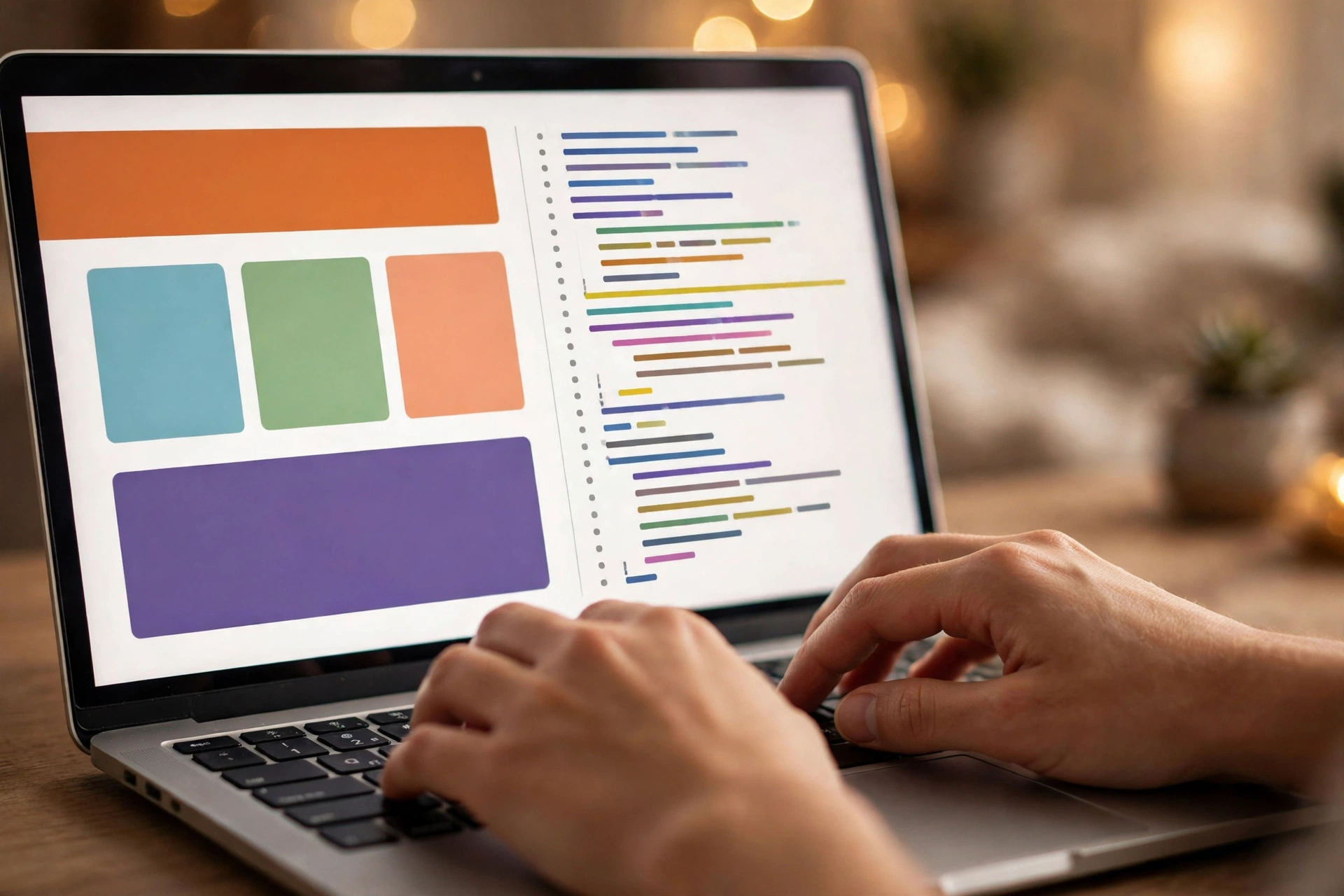
The Three Core Skills of Web Development for Beginners
1. HTML — The Structure
HTML stands for HyperText Markup Language, and it is the skeleton of every website. It tells the browser what each piece of content is: this is a heading, this is a paragraph, this is an image, this is a link. Without HTML there is no page at all — just a blank browser window.
HTML is also the easiest of the three to learn. There are only about 20 tags a beginner uses regularly, and you can learn them in a weekend. A simple page with a heading, two paragraphs, an image, and a link is about 15 lines of HTML. That is your first real milestone in web development for beginners, and it takes most people less than a day to reach it.
2. CSS — The Style
CSS stands for Cascading Style Sheets. If HTML is the skeleton, CSS is the clothes, the haircut, and the makeup. It controls colours, fonts, spacing, layout, and how a page looks on a phone versus a laptop. A page with HTML alone looks like a plain document from 1995. Add CSS and the same page can look modern and professional.
CSS takes longer than HTML because there is more to remember — the box model, flexbox, grid, responsive design. But you do not need all of it at once. Learn enough to style a simple page, then learn the rest as your projects demand it. That is how working developers actually learn CSS: one layout problem at a time.
3. JavaScript — The Behaviour
JavaScript makes websites interactive. It is the language behind menus that open, forms that check your input before you submit, image sliders, live search, and games in the browser. It is also the first real programming language most beginners meet, which is why it feels harder than HTML and CSS.
Here is my honest opinion: JavaScript is where most beginners either push through or quit. The trick is to learn it slowly, with tiny projects. Make a button that changes colour when you click it. Make a counter that goes up and down. Make a to-do list that saves items on the page. Each small win builds the confidence for the next one. Web development for beginners is not a sprint through JavaScript — it is a slow walk, one small working feature at a time.
Web Development for Beginners: The Tools You Need
You do not need to buy anything to start. Every tool a beginner needs is free, and you probably already have half of them installed.
First, a code editor. Visual Studio Code, usually called VS Code, is free, made by Microsoft, and used by most professional developers. It highlights your code in colours, catches typos, and has extensions for almost everything. Download it, open a folder, create a file called index.html, and you have a working setup. Sublime Text is a lighter alternative if your computer is old or slow.
Second, a browser with developer tools. Chrome, Firefox, and Edge all have them built in — press F12 and a panel opens that lets you inspect any page, test CSS changes live, and see JavaScript errors. Learning to use the inspect tool early saves beginners hours of guessing why something looks wrong.
Third, Git and GitHub. Git tracks changes to your code, so you can undo a mistake without starting over. GitHub stores your code online and shows it to employers later. You do not need Git on day one, but learn it within your first month — it is the single most useful habit in web development for beginners, and it takes about an hour to learn the basics.
Finally, a place to put your website online. GitHub Pages hosts simple websites for free, which is perfect for your first projects. Later, when you build something with a backend, you will need paid hosting — but that is months away, not something to worry about now. Cloud hosting is the wider world behind all of this, and if you want the bigger picture, my guide on what is cloud computing for beginners explains how servers and online services fit together.
How to Start Web Development for Beginners in 7 Steps
Step 1: Learn HTML basics (1 week)
Work through a free HTML tutorial and build a simple page: a heading, a few paragraphs, an image, a link, and a list. Type every line yourself instead of copying and pasting — your fingers need to learn the tags. By the end of the week you should be able to build a basic page from memory.
Step 2: Learn CSS basics (2 weeks)
Style the page you built in step 1. Change the colours, fonts, and spacing. Learn the box model — margin, border, padding, content — because it explains 90 percent of CSS layout confusion. Then learn flexbox, which is how modern pages arrange things in rows and columns. Finish the week by making your page look good on a phone screen too.
Step 3: Build your first complete website (1 week)
Combine HTML and CSS into a small multi-page site: a personal portfolio with a home page, an about page, and a contact page. It does not need to be beautiful. It needs to exist. This is the project that turns tutorial knowledge into real skill, and it is the first thing in web development for beginners that actually feels like building something.
Step 4: Learn JavaScript basics (3–4 weeks)
Variables, functions, loops, conditions, and events — the building blocks of programming. Practice with tiny features on your portfolio site: a button that shows and hides text, a form that checks an email address, a dark mode toggle. One feature per day is a good pace.
Step 5: Learn Git and GitHub (a few days)
Create a GitHub account, push your portfolio site there, and turn on GitHub Pages so the site is live on the internet. This is a big moment: you now have a real website with a real address that you can show anyone. Put the link on your CV.
Step 6: Build three small projects (3–4 weeks)
A calculator, a to-do app, and a weather app that fetches data from a free API. Each one teaches something new — the calculator teaches logic, the to-do app teaches storing data in the browser, the weather app teaches working with outside services. These three projects are what most beginners show in job interviews and freelance pitches.
Step 7: Pick a direction — frontend or backend (ongoing)
If you loved the visual side, learn a framework like React and go deeper into frontend. If you liked the logic and data side, learn Node.js or Python and build a backend with a database. Either path is valid. What matters is that you choose one and go deep instead of collecting half-finished tutorials in five directions.
Total time for steps 1 to 6 is roughly 2 to 3 months at 1 to 2 hours a day. That is realistic for someone with a job, studies, or family duties. Anyone who promises you will be job-ready in 30 days is selling a course, not telling the truth.
How Long Does Web Development for Beginners Take to Learn?
The honest answer depends on your goal. To build a simple website for yourself or a small business, about 2 to 3 months of steady practice is enough. To get your first freelance client, most beginners need 4 to 6 months and a small portfolio of 3 to 5 real projects. To get a full-time junior developer job, plan for 9 to 12 months, including time to learn a framework and to practice interview-style coding problems.
Hours matter more than months. One hour a day, five days a week, for six months is about 130 hours of real practice — and that is enough to change your options. Three hours once a week is not the same thing. Web development for beginners rewards consistency more than intensity, because your brain needs sleep between sessions to make the ideas stick.
One warning: tutorial hell is real. It is the trap of watching course after course without ever building anything on your own. The cure is simple — after every tutorial, close it and rebuild the same thing from memory, then change one thing to make it yours. If you cannot rebuild it without the video, you have not learned it yet.
Can Web Development for Beginners Earn Money?
Yes, but not overnight, and not without a portfolio. The realistic paths are freelancing, a junior job, or building your own products.
Freelancing is the fastest way to earn. Small businesses need simple websites — a restaurant menu page, a shop’s landing page, a personal brand site — and they pay anywhere from 100 to 500 dollars for one, depending on your country and the complexity. Platforms like Fiverr and Upwork are where most beginners find their first clients, though your first few jobs will pay less while you build reviews. If freelancing interests you, my guide on how to start freelancing for beginners covers finding clients and pricing your first jobs.
A junior developer job pays more and gives steadier income, but it usually asks for a framework like React, some Git experience, and a portfolio that proves you can finish projects. Companies hire juniors who can show finished work, not juniors who list 20 half-watched courses.
The third path is building your own websites and earning from them — a blog with ads, a small tool people pay for, a template shop. This is the slowest path to money but the one with the most freedom. Most working developers I know combine two of these paths rather than betting everything on one.
Be careful with anyone who promises quick money from coding. Learning web development for beginners is a skill that pays well over years, not a lottery ticket. The people who succeed are the ones who keep building after the excitement of week one fades.
7 Mistakes in Web Development for Beginners
Mistake 1: Learning five languages at once
HTML, CSS, JavaScript, Python, and React in the same month is a recipe for confusion. Learn one thing, use it in a project, then add the next. Depth beats breadth at the start.
Mistake 2: Watching tutorials without coding along
Watching someone else code feels like learning, but it is not. Your hands have to type the code. Pause the video, write it yourself, break it, fix it. That struggle is where the learning happens.
Mistake 3: Skipping the fundamentals
Frameworks like React are powerful, but they sit on top of plain JavaScript. Beginners who jump to a framework before understanding JavaScript basics hit a wall within weeks and have to go back anyway. Learn the foundation first — it is boring, and it is the whole game.
Mistake 4: Copying code without understanding it
Copying a snippet from the internet is normal — professionals do it every day. But if you cannot explain what each line does, you have borrowed a solution, not learned one. Read the code line by line before you paste it in.
Mistake 5: Never finishing a project
Half-finished projects teach half the lesson. The last 10 percent of a project — fixing the bugs, making it work on a phone, putting it online — is where most of the real learning lives. Finish small things before starting big ones.
Mistake 6: Comparing yourself to developers with five years of experience
The person whose portfolio you admire was once exactly where you are. Comparing your week three to their year five is unfair to yourself and kills motivation. Compare yourself to where you were last month.
Mistake 7: Coding alone and never asking for help
Every developer gets stuck. The good ones ask for help early — in a forum, a Discord community, or from a friend. A question that takes you three hours alone might take someone else three minutes to answer. Web development for beginners is much easier with a community around you, even a small one.
Free Resources to Learn Web Development for Beginners
You do not need to pay for a course to start. These free resources cover everything in this guide, and they are the same ones working developers recommend to their friends:
- MDN Web Docs — the official documentation for HTML, CSS, and JavaScript, with beginner tutorials that are accurate and free. Their Learn Web Development section is the single best starting point I know.
- freeCodeCamp — a free, hands-on curriculum with thousands of small coding exercises and certificates for each section.
- The Odin Project — a free full roadmap from HTML to full-stack, built around real projects instead of videos.
- YouTube — good for seeing a concept explained visually, but use it for single topics, not as your whole plan.
- GitHub — read other beginners’ code, and later, share your own.
My suggestion: pick MDN as your main reference and freeCodeCamp as your practice ground. One reference and one practice site is enough. Adding five more courses to the list does not speed anything up — it just gives you more tabs to avoid opening.

Frequently Asked Questions
Is web development for beginners hard to learn?
It is challenging but not unusually hard. HTML and CSS are easy to start — most people build their first page within days. JavaScript is the first real hurdle, and it takes most beginners a few weeks of steady practice to feel comfortable. The difficulty is less about intelligence and more about patience: you will spend a lot of time fixing small errors, and that is normal for every developer.
Do I need a degree to become a web developer?
No. Most employers and freelance clients care about what you can build, not what degree you hold. A portfolio with three or four finished projects proves more than a certificate. That said, a degree can help with larger companies and visa processes in some countries, so the answer depends on where you live and where you want to work.
How much money can a beginner web developer earn?
It varies widely by country and path. A beginner freelancer might earn 100 to 500 dollars per small website, while a junior developer salary in Pakistan or India often starts around 50,000 to 100,000 rupees per month, and much higher in the US or Europe. The honest range is wide because the market is wide — your portfolio and your ability to find clients matter as much as your code.
Which is better for web development for beginners: frontend or backend?
Frontend is the better starting point for most people because you see results immediately, which keeps motivation high. Backend suits people who enjoy logic, databases, and problem-solving more than visual design. Neither is better overall — and in the long run, many developers learn both. Start with frontend, then follow your interest.
Can I learn web development for beginners on a phone?
You can watch tutorials and read about concepts on a phone, but real practice needs a computer with a keyboard. Writing code on a phone screen is slow and painful, and employers expect you to work on a laptop or desktop. If you do not own a computer, a second-hand laptop that runs VS Code and a browser is enough — web development does not need a powerful machine.
Conclusion
Web development for beginners is not about talent or a fancy degree. It is about a clear order — HTML, then CSS, then JavaScript, then one project after another — and the patience to keep going when the code breaks, which it will, many times a day.
Start today, not next Monday. Install VS Code, write ten lines of HTML, open the file in your browser, and you have already done the hardest part: starting. Build your portfolio page this week. Put it online this month. Take on one small freelance job in a few months. Each step is small on its own, and together they add up to a skill that can change what you earn and how you work.
The web was built by ordinary people who learned one small thing at a time. You can be one of them.
Disclaimer
This article is general educational information about web development for beginners. It is not professional career, financial, or legal advice. Salaries, course prices, platform rules, and job requirements vary by country and change over time, so please verify details from official sources before making decisions based on them.
To learn more about the site behind this guide, visit the About Us page.